
April
April 2026
➡️ Live Chat | Tag Updates
Better organization, greater flexibility.
What’s new:
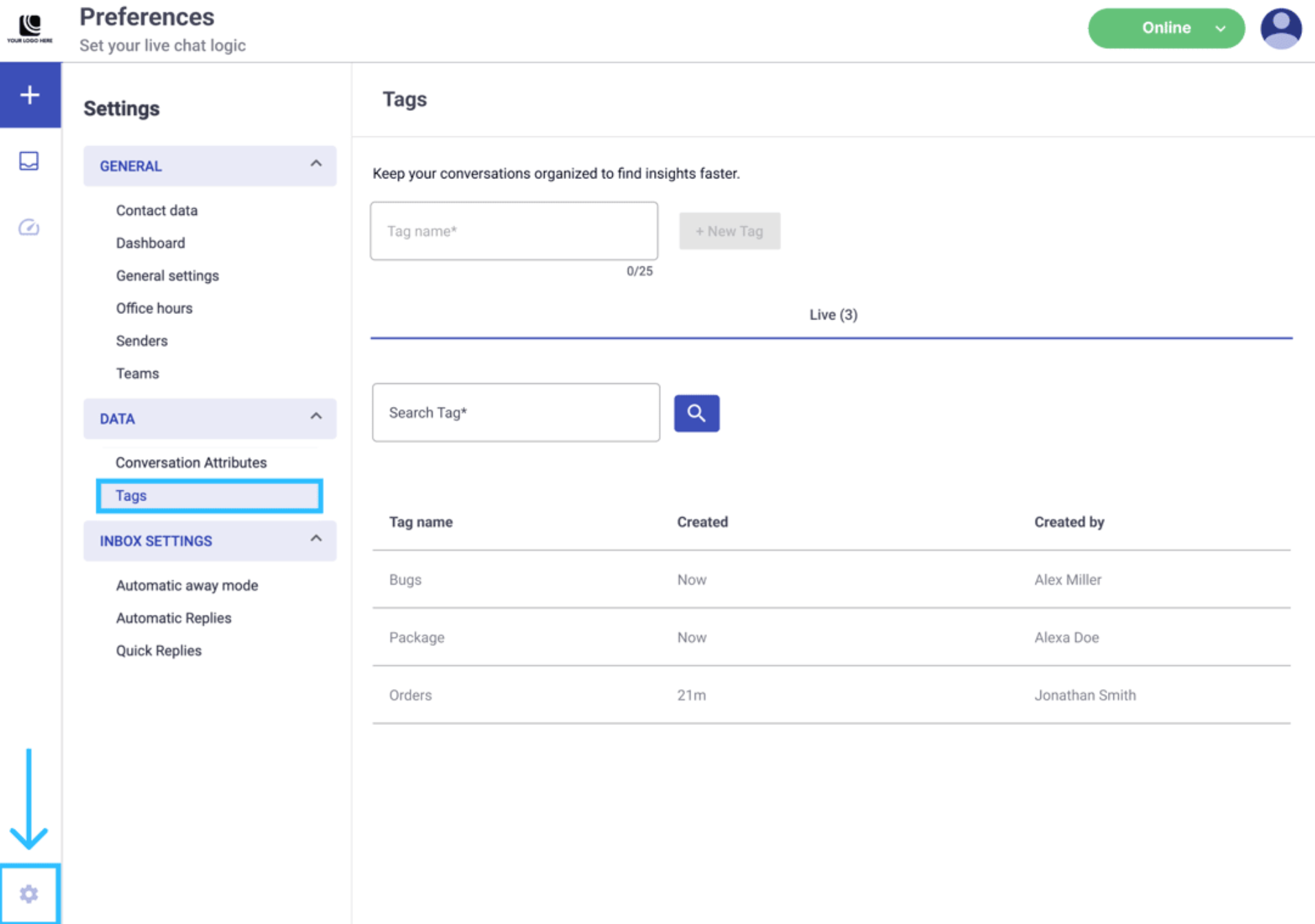
- Tags now support up to 25 characters per label.
- Tags can include symbols, alphanumeric characters, and spaces.
- You can now assign up to 7 tags per message and per conversation.
Why it matters:
Your team has more space to create descriptive and meaningful tags, making it easier to categorize conversations, identify trends, and keep the inbox organized at scale.
 Full Documentation here!
➡️ Live Chat | Search Bar and Filter Updates
Finding the right conversations is now easier.
What changed:
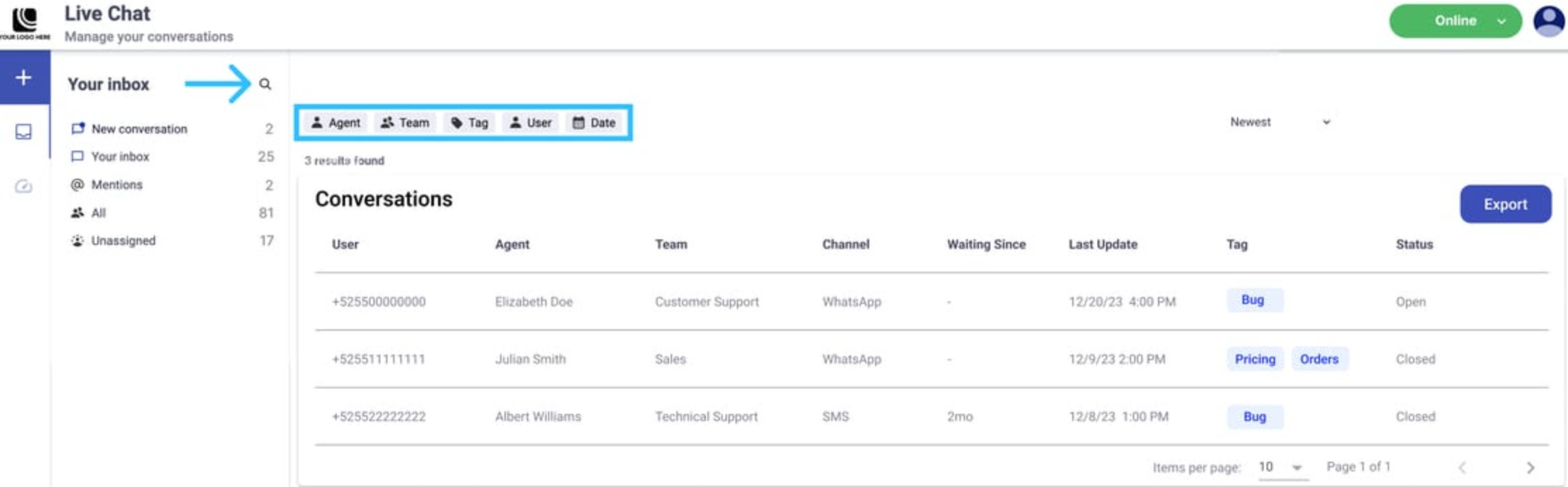
- Active filters now appear as visible labels above the Conversations table, so your team always knows which filters are applied.
- The Export button is now available. Generate a report and download it as a CSV file sent directly to the administrator’s email.
 Full Documentation here!
➡️ Broadcast Approval
More control before messages are sent.
What’s new:
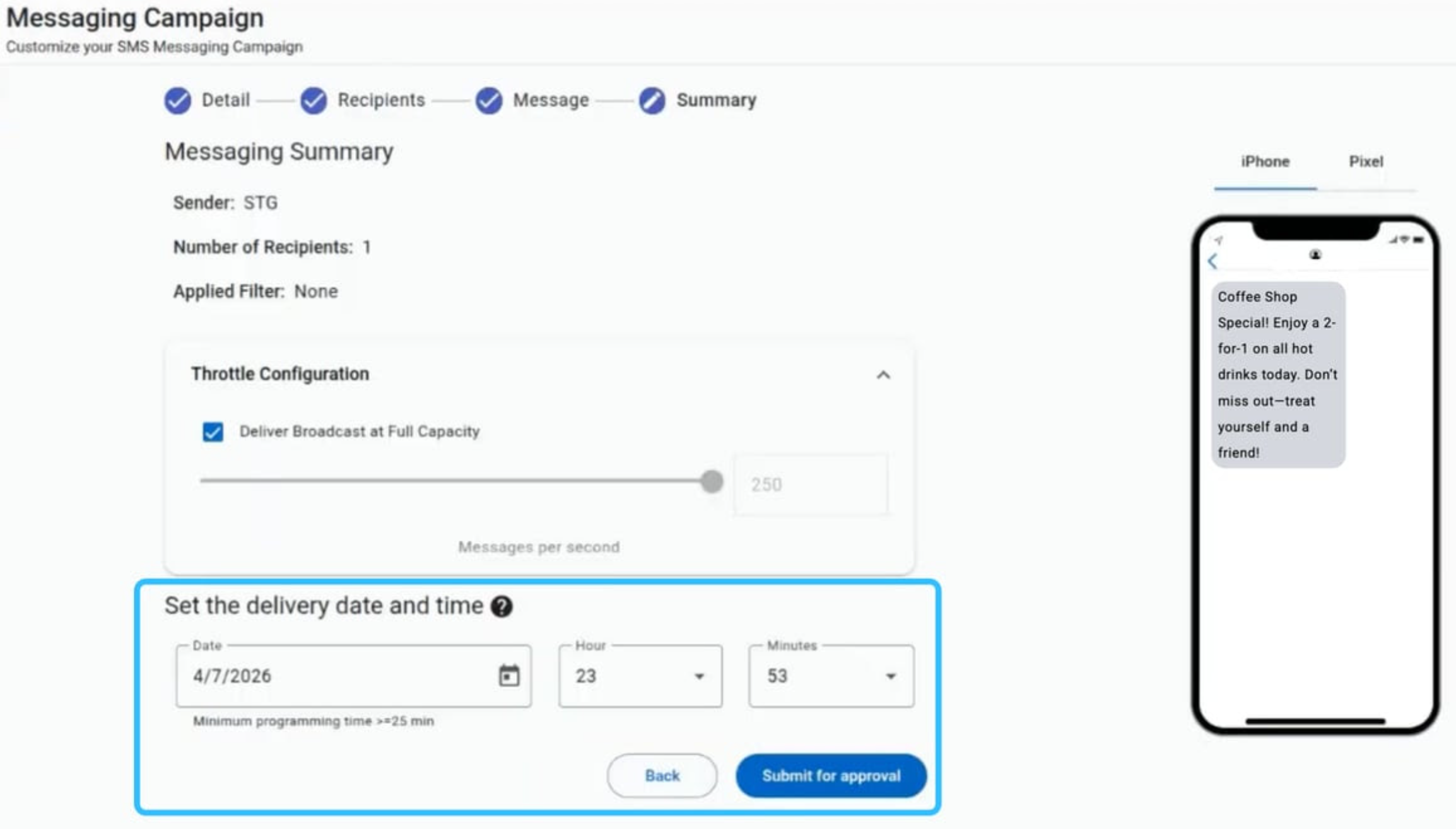
- A new approval flow requires an Administrator to approve any broadcast before it is executed.
- Operators must schedule the send time at least 25 minutes in advance, which automatically triggers an email notification to Administrators for review.
- Full support for approval, rejection with comments, rescheduling, expired broadcasts, and deletion.
Why it matters:
Your team gains an additional validation layer before any broadcast reaches your audience, reducing the risk of errors and maintaining control over sending activity.
 Full Documentation here!
📅 What’s coming your way!
- Live Chat | Paste Images Directly - Agents can now paste images from their clipboard (Ctrl/Cmd + V) directly into the message composer, with a preview before sending, without needing to use “Attach file.”
- WhatsApp Carousel (API) - Send a single marketing template message with up to 10 horizontally scrollable product cards. Each card supports an image or video header, text, and up to two buttons (quick reply, phone number, or URL).
Updated about 1 day ago