
January
January 2026 (Version 7.7.4)
➡️ Live Chat Notifications
Never miss a message again.
How it works:
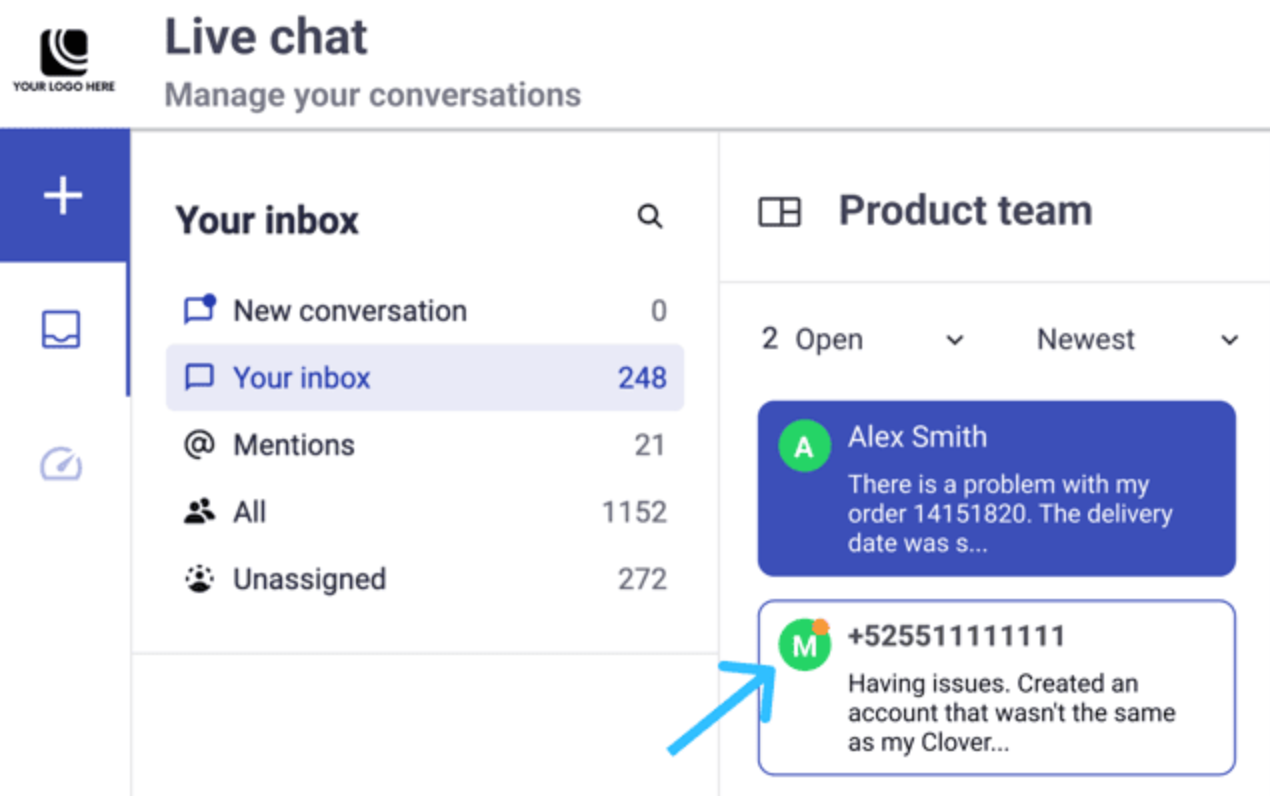
- An orange dot appears when a new message arrives and hasn’t been opened yet.
- The indicator disappears as soon as an agent opens the conversation.
- If the agent is already inside the chat, no indicator is shown.
- Works across all channels (SMS, WhatsApp, etc.) and inbox views.
Why it matters:
Teams can instantly spot unattended conversations and respond faster, especially in high-volume inboxes.
 Full Documentation here!
➡️ Campaign Reporting Updates
Clearer KPIs and better visibility across channels.
Broadcast Campaign Cards
We’ve updated the KPIs shown in broadcast cards for:
- SMS
What’s new:
KPI names were standardized for clarity.
- Messages with tracked links show the Clicks KPI.
- Messages without tracked links no longer display Clicks.
- WhatsApp now includes a new KPI: Read, showing how many messages were read by your customers.
This gives you a more accurate view of delivery and engagement, especially for WhatsApp campaigns
 Full Documentation here!
➡️ Integration Connections: Important Note!
When activating integrations that rely on Connections, activation is now evaluated per connection instead of being blocked upfront.
This behavior applies to:
- Custom Webhook
- Bright Pattern
- OpenAI
What changed
- The platform attempts to activate the integration and each configured connection independently.
- If no connections are activated successfully: The integration remains inactive. An error message is displayed.
- If at least one connection is activated successfully: The integration becomes active. A notification is shown indicating that not all connections were activated. Connections that fail remain inactive.
When partial activation occurs, a snackbar notification is displayed with a link to the Connections Details dialog, where you can review the activation status of each connection. This dialog is the same one accessible from the Details icon on the integration card.
📅 What’s coming your way!
- WhatsApp Flows - Support for structured, guided interactions within WhatsApp.