
Webhook notification payload examples
Reference example WABA webhook payloads for each WhatsApp message type your integration can receive. For developers building webhook handlers for inbound WhatsApp events.
Supported message types
Identify the WhatsApp Business Account (WABA) message types your webhook can receive and review their payload examples.
Meta sends these notifications to your webhook URL when users message your business account.
Text Messages
When a user sends a text message, the webhook notification contains the message content and metadata such as timestamp and sender information.
{
  "owner": "[email protected]",
  "date": "2022-12-06T11:13:55.908937523Z",
  "processId": 1348,
  "origin": "1923847583",
  "externalId": "[email protected]_32118",
  "callback": "https://webhook.example/1234",
  "id": "35678765432347284737272",
  "text": "What is my order ID?",
  "user": "5500000000",
  "userId": "123456",
  "userName": null,
  "extraInfo": {
    "SAMWELL_WEBHOOK_NAME": "test webhook",
    "MSGI_SOURCE_CAMPAIGN": "EliPackage",
    "type": "text",
    "contacts": [
      {
        "profile": {
          "name": "John Doe"
        },
        "wa_id": "5500000000"
      }
    ]
  }
}
Media Messages
Users can send various media files, including images, videos, audio, and documents.
{
  "owner": "[email protected]",
  "date": "2022-12-06T11:14:32.911652119Z",
  "processId": 1347,
  "origin": "1923847583",
  "externalId": "[email protected]_3558",
  "callback": "https://webhook.example/1234",
  "id": "4567876543473736251",
  "text": "",
  "user": "5500000000",
  "userId": "123456",
  "userName": null,
  "extraInfo": {
    "SAMWELL_WEBHOOK_NAME": "test webhook",
    "MSGI_SOURCE_CAMPAIGN": "EliPackage",
    "attachments": [
      {
        "fileName": "newimage.jpg",
        "shaData": "ertyuhgf456789876ghjhg",
        "url": "https://whatsapp-mo-attachments.s3.amazonaws.com/testing_space.com_file/newimage.jpg",
        "caption": ""
      }
    ],
    "type": "image",
    "contacts": [
      {
        "profile": {
          "name": "John Doe"
        },
        "wa_id": "5500000000"
      }
    ]
  }
}
Sticker Messages
When a user sends a sticker that meets Meta’s specifications, your webhook receives a sticker-specific payload.
{
  "owner": "[email protected]",
  "date": "2022-12-06T11:20:58.786725956Z",
  "processId": 2020,
  "origin": "1923847583",
  "externalId": "[email protected]_3438",
  "callback": "https://webhook.example/1234",
  "id": "456789876543245678",
  "text": "",
  "user": "5500000000",
  "userId": "123456",
  "userName": null,
  "extraInfo": {
    "SAMWELL_WEBHOOK_NAME": "test webhook",
    "MSGI_SOURCE_CAMPAIGN": "EliPackage",
    "sticker": {
      "fileName": "newsticker.webp",
      "shaData": "b77c614a24a075f0d59c030c",
      "url": "https://whatsapp-mo-attachments.s3.amazonaws.com/testing_space.com_file/newsticker.webp",
      "caption": ""
    },
    "type": "sticker",
    "contacts": [
      {
        "profile": {
          "name": "John Doe"
        },
        "wa_id": "5500000000"
      }
    ]
  }
}
Location Messages
When a user shares their geographic location with your business, your webhook receives the shared location details.
{
  "owner": "[email protected]",
  "date": "2025-01-22T15:38:38.374199828Z",
  "processId": 1818,
  "origin": "1923847583",
  "externalId": "[email protected]_3435",
  "callback": "https://webhook.example/1234",
  "id": "87654678909283472771",
  "text": "",
  "user": "5500000000",
  "userId": "123456",
  "userName": null,
  "extraInfo": {
    "SAMWELL_WEBHOOK_NAME": "test webhook",
    "MSGI_SOURCE_CAMPAIGN": "EliPackage",
    "location": {
      "longitude": "-99.128059387207",
      "latitude": "19.292819976807",
      "name": "EliPackage Company",
      "address": "Tlalpan, Mexico City"
    },
    "type": "location",
    "contacts": [
      {
        "profile": {
          "name": "John Doe"
        },
        "wa_id": "5500000000"
      }
    ]
  }
}
Contact Messages
When a user shares contact information with your business, the payload includes the shared contact’s details, such as their name and phone number.
{
  "owner": "[email protected]",
  "date": "2025-01-22T15:45:13.637933811Z",
  "processId": 3435,
  "origin": "1923847583",
  "externalId": "[email protected]_4041",
  "callback": "https://webhook.example/1234",
  "id": "876546789345432211",
  "text": "",
  "user": "5500000000",
  "userId": "123456",
  "userName": null,
  "extraInfo": {
    "SAMWELL_WEBHOOK_NAME": "test webhook",
    "MSGI_SOURCE_CAMPAIGN": "EliPackage",
    "contact": [
      {
        "name": {
          "first_name": "Elizabeth Smith",
          "formatted_name": "Elizabeth Smith"
        },
        "phones": [
          {
            "phone": "+52 55 0101 0101",
            "type": "CELL",
            "wa_id": "525501010101"
          }
        ]
      }
    ],
    "type": "contacts",
    "contacts": [
      {
        "profile": {
          "name": "John Doe"
        },
        "wa_id": "5500000000"
      }
    ]
  }
}
Unsupported message types
When a user sends a message type that Meta does not support, the payload includes a placeholder indicating that the message type is unsupported. Use this payload to identify and handle content that does not conform to Meta’s API structure.
You may receive an unknown-message callback notification when a customer sends unsupported content, such as a disappearing message. In this case, the customer is notified that the message type is not supported.
The following example shows the key details your webhook receives for an unsupported message type:
{
  "owner": "[email protected]",
  "date": "2025-01-22T15:53:34.938220399Z",
  "processId": 9845,
  "origin": "1923847583",
  "externalId": "[email protected]_5455",
  "callback": "https://webhook.example/1234",
  "id": "7374664646372828",
  "text": "The message type is not currently supported by Meta",
  "user": "5500000000",
  "userId": "123456",
  "userName": null,
  "extraInfo": {
    "SAMWELL_WEBHOOK_NAME": "test webhook",
    "MSGI_SOURCE_CAMPAIGN": "EliPackage",
    "type": "unsupported",
    "contacts": [
      {
        "profile": {
          "name": "John Doe"
        },
        "wa_id": "5500000000"
      }
    ]
  }
}
Common causes of unsupported message types include:
- Unsupported media formats: Files with uncommon or proprietary formats that are not included in Meta’s list of supported types, such as some video codecs, rare document formats, or unsupported media sizes.
- Third-party stickers: Stickers that do not meet WhatsApp’s specifications, such as the required format, size, or resolution.
- Non-standard interactive elements: Custom interactive features outside the scope of WhatsApp’s API, such as buttons or lists not defined by the API.
- Polls: A poll sent as an attachment is not supported.
- Reactions: A reaction is not supported when a user responds with an emoji instead of a text message. For example:
{ "owner": "[email protected]", "date": "2025-01-22T16:02:36.050350125Z", "processId": 9534, "origin": "1923847583", "externalId": "[email protected]_7272", "callback": "https://webhook.example/1234", "id": "73746261525342519873", "text": "The message type is not currently supported: Reaction", "user": "5500000000", "userId": "123456", "userName": null, "extraInfo": { "SAMWELL_WEBHOOK_NAME": "test webhook", "MSGI_SOURCE_CAMPAIGN": "EliPackage", "type": "reaction", "contacts": [ { "profile": { "name": "John Doe" }, "wa_id": "5500000000" } ] } } - Unrecognized message types: New or experimental message formats introduced through unofficial WhatsApp versions or third-party tools.
- Corrupted messages: Messages that were improperly transmitted because of network errors or user-side issues.
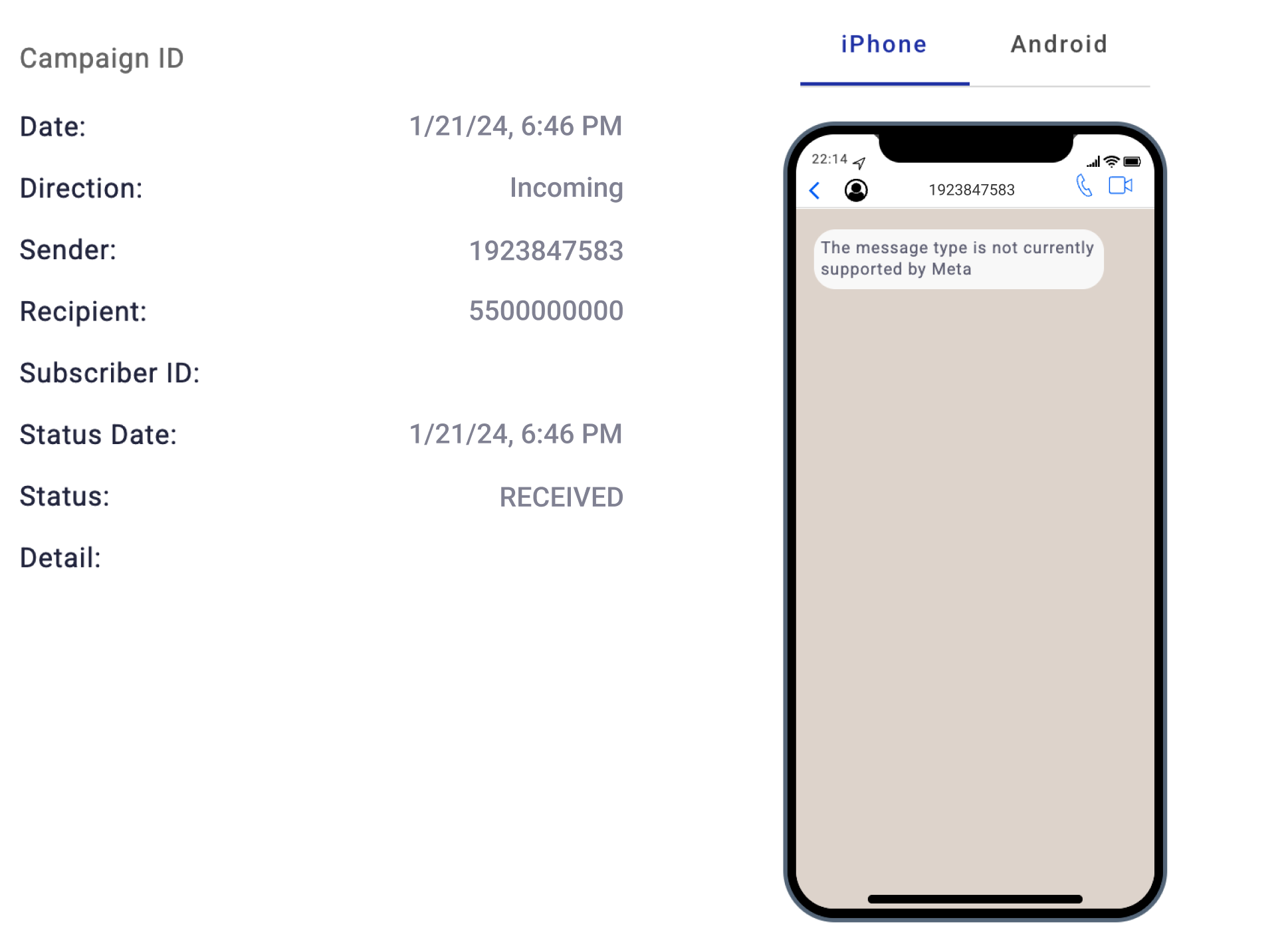
In Messaging Logs in Communications Platform, select the Details icon to view an incoming WhatsApp message. For unsupported messages, the phone visualizer displays: "The message type is not currently supported by Meta."
Reserved usernames
Some WhatsApp users choose to keep their phone number private when they message a business. WhatsApp supports this through reserved usernames — an account-level privacy setting that replaces the user's phone number with an opaque identifier everywhere your integration would normally see it, including in your webhook payloads.
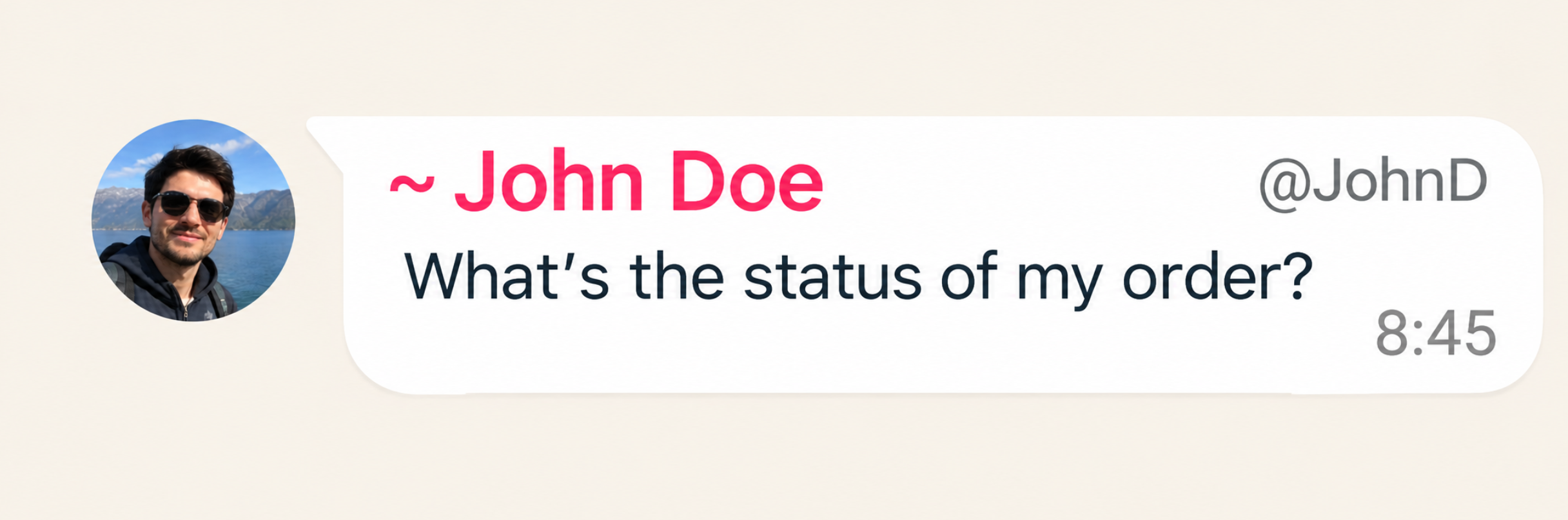
When a contact has reserved usernames enabled, your webhook payload arrives with an empty user field. A new userId field takes its place — a value scoped to your WhatsApp Business Account that uniquely identifies that user without ever exposing their number.
{
  "owner": "[email protected]",
  "date": "2022-12-06T11:13:55.908937523Z",
  "processId": 1348,
  "origin": "1923847583",
  "externalId": "[email protected]_32118",
  "callback": "https://webhook.example/1234",
  "id": "35678765432347284737272",
  "text": "What is my order ID?",
  "user": "",
  "userName": "Julian",
  "userId": "MX.24983",
  "extraInfo": {
    "SAMWELL_WEBHOOK_NAME": "test webhook",
    "MSGI_SOURCE_CAMPAIGN": "EliPackage",
    "type": "text",
    "contacts": [
      {
        "profile": {
          "name": "John Doe"
        },
        "wa_id": "5500000000",
        "userId": "MX.24983"
      }
    ]
  }
}
Replying to a user with a reserved username
The userId from the webhook payload isn't just an identifier for display — you can send session messages and message templates directly to it. That means you can reply to a reserved-username user without ever learning their phone number.
A standard session message addresses the recipient by phone number, using to:
{
  "from": "1000000001",
  "to": "+1000000002",
  "type": "text",
  "body": "As requested, your order ID is: 45890"
}
To reply to a reserved-username user, replace to with recipient, and set its value to the userId from the webhook payload:
{
  "from": "1000000001",
  "recipient": "MX.24983",
  "type": "text",
  "body": "As requested, your order ID is: 45890"
}
WARNINGIf the request body includes both
toandrecipientparameters, Meta always prioritizes thetoparameter and delivers to that phone number —recipientparameter is only used whentoparameter is absent.
NOTEMessages sent through
recipientinstead oftocarry that same identifier into reporting: in Messaging Logs, the Recipient column shows theuserIdrather than a phone number for that outgoing message.
Updated 19 days ago