
New message indicators and notification features
Learn how Live Chat shows unread messages, identifies active conversations, plays sound notifications, and retains incoming multimedia files.
Use Live Chat indicators and notification settings to identify unread conversations, track your active conversation, and control when agents receive audio alerts.
Unread message indicator
When a new message arrives, Live Chat displays an orange dot next to the conversation. The dot shows that the message is unread (not yet opened by an agent).
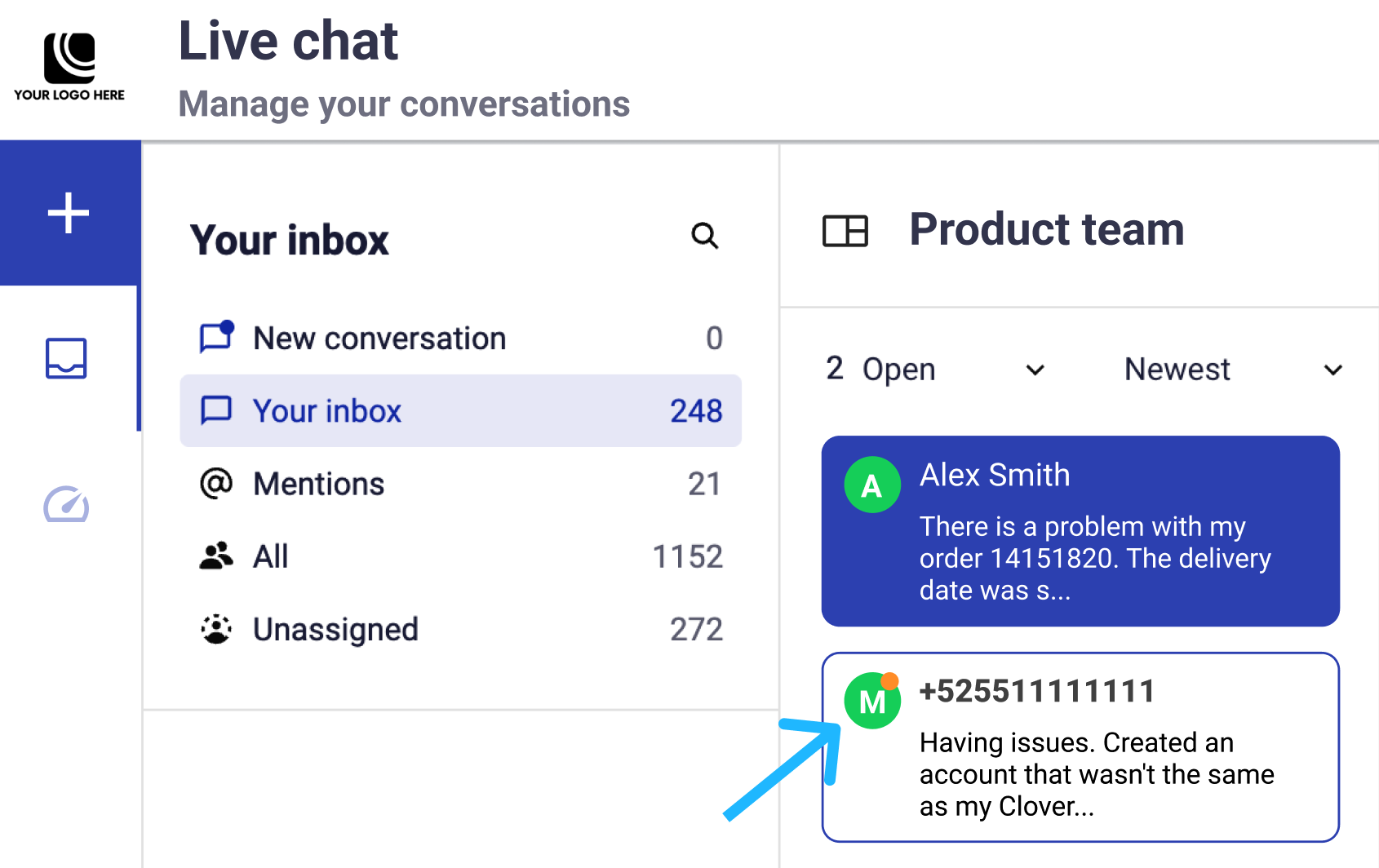
How the unread indicator works
- The orange dot appears when Live Chat receives an unread message.
- Opening the conversation removes the dot, confirming that an agent has viewed the message.
- If an agent is already viewing the conversation when a new message arrives, Live Chat does not show the dot.
This behavior applies to supported channels, including SMS and WhatsApp, and to the Your Inbox, Mentions, All, and Unassigned inbox sections.
Active conversation highlight
When an agent selects a conversation, Live Chat highlights it in blue.
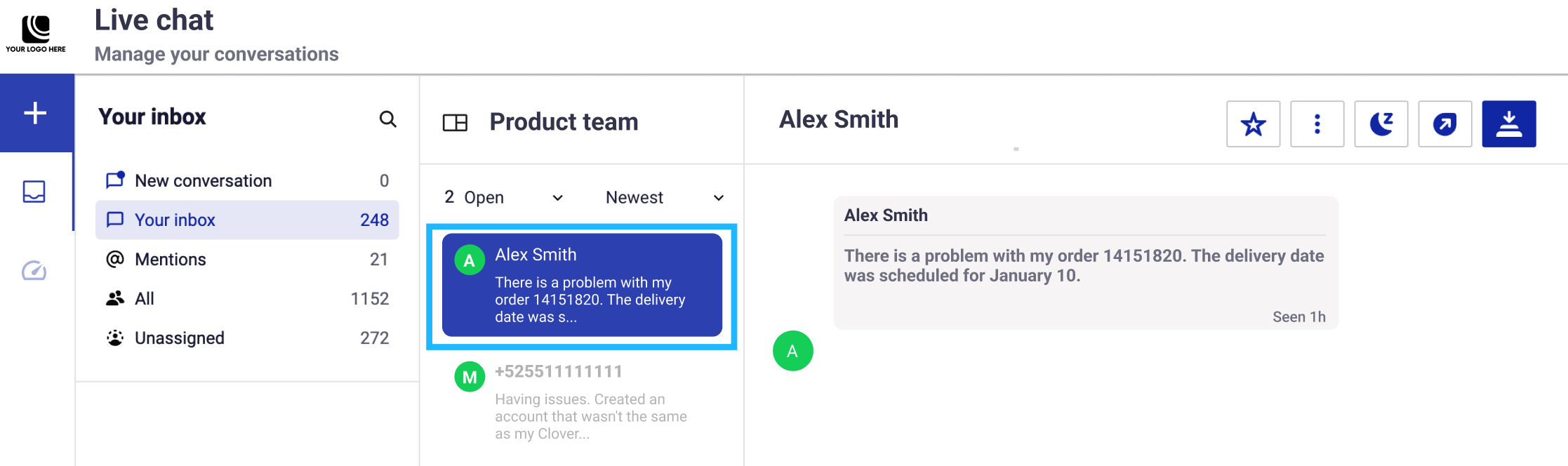
The blue highlight helps agents identify the conversation they are working in when switching between conversations.
User icon colors identify the conversation channel:
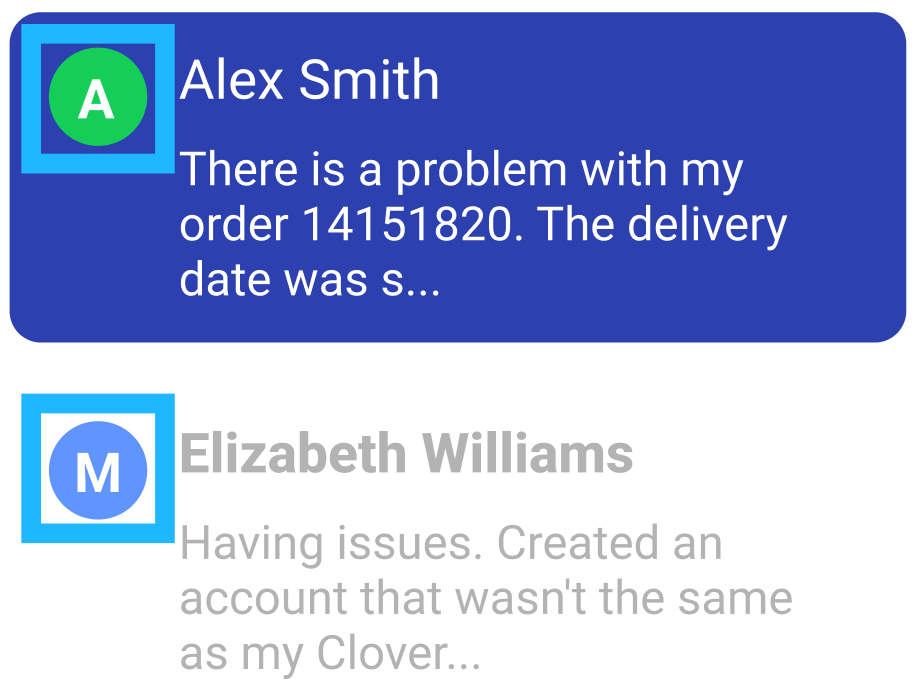
- Green icon: WhatsApp conversations
- Blue icon: SMS conversations
The active conversation highlight applies across supported channels and inbox sections.
Optional: Incoming message sound notification
Enable the audio alert to hear new messages in active and unassigned conversations.
Whether Live Chat plays the alert depends on:
- The conversation assignment
- The assigned agent or team
- Each agent's availability
Agents who are Away never receive sound notifications.
Notification rules by conversation assignment
Live Chat uses these rules:
- Assigned to a specific agent: The assigned agent receives the alert only when they are Online. If they are Away, no agent receives it.
- Unassigned: All Online agents receive the alert. Agents who are Away do not.
- Assigned to a team without a specific agent: All Online agents in that team receive the alert. Team members who are Away do not.
- Assigned to a team and a specific agent: Only the assigned agent receives the alert when they are Online. If they are Away, neither that agent nor other team members receive it.
The following table summarizes these rules:
| Conversation assignment | Agent availability | Plays sound? | Agents notified |
|---|---|---|---|
| Assigned to a specific agent | Online | Yes | Only the assigned agent |
| Assigned to a specific agent | Away | No | None |
| Unassigned | Online | Yes | All Online agents |
| Unassigned | Away | No | None |
| Assigned to a team without a specific agent | Online | Yes | All Online agents in the assigned team |
| Assigned to a team without a specific agent | Away | No | None |
| Assigned to a team with a specific agent | Online | Yes | Only the assigned agent |
| Assigned to a team with a specific agent | Away | No | None. Neither the assigned agent nor other team members receive the notification. |
Control the sound preference
- Open the top-right menu.
- Turn the New message sound toggle on or off.
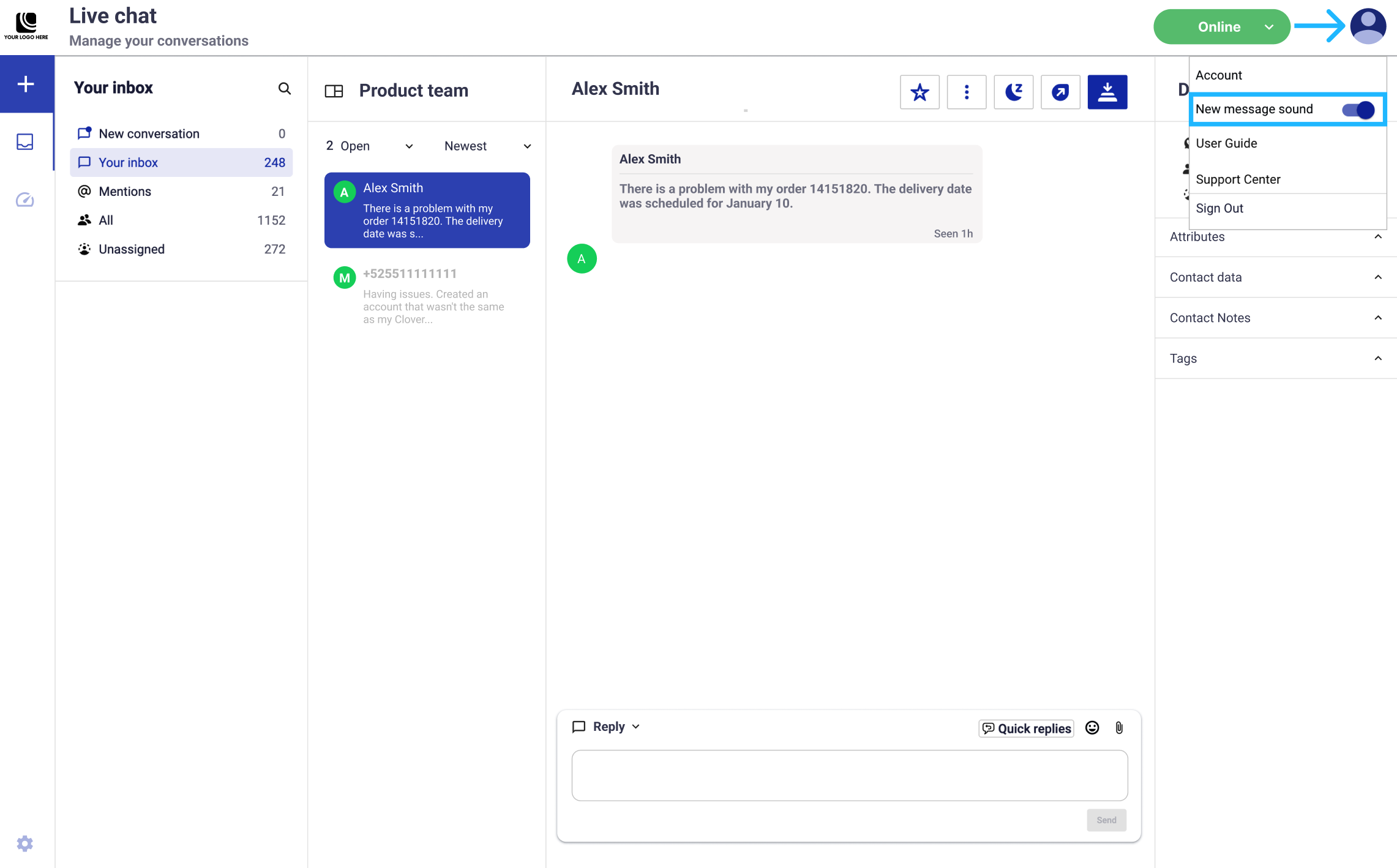
The setting is off by default and is managed individually by each agent.
Incoming messages
Agents can receive and manage WhatsApp messages in Live Chat in real time. Each message includes its conversation context and any shared media.
End users can send:
- Text messages
- Images
- Videos
- Audio files
- Documents
Live Chat links each incoming attachment to its conversation.
Incoming multimedia file retention
Live Chat retains incoming multimedia files sent by end users for 30 days. After 30 days, the platform automatically deletes the files and they are no longer accessible.
This policy applies only to incoming media sent by end users on or after February 6, 2026.
Updated 18 days ago