
Assigning WABAs
Assign a WhatsApp Business Account and one of its phone numbers to a Workspace so it can send and receive WhatsApp messages. For internal teams connecting a WABA to a specific Workspace.
Assign a WhatsApp Business Account (WABA) and one of its phone numbers to your Workspace so the Workspace can send and receive WhatsApp messages.
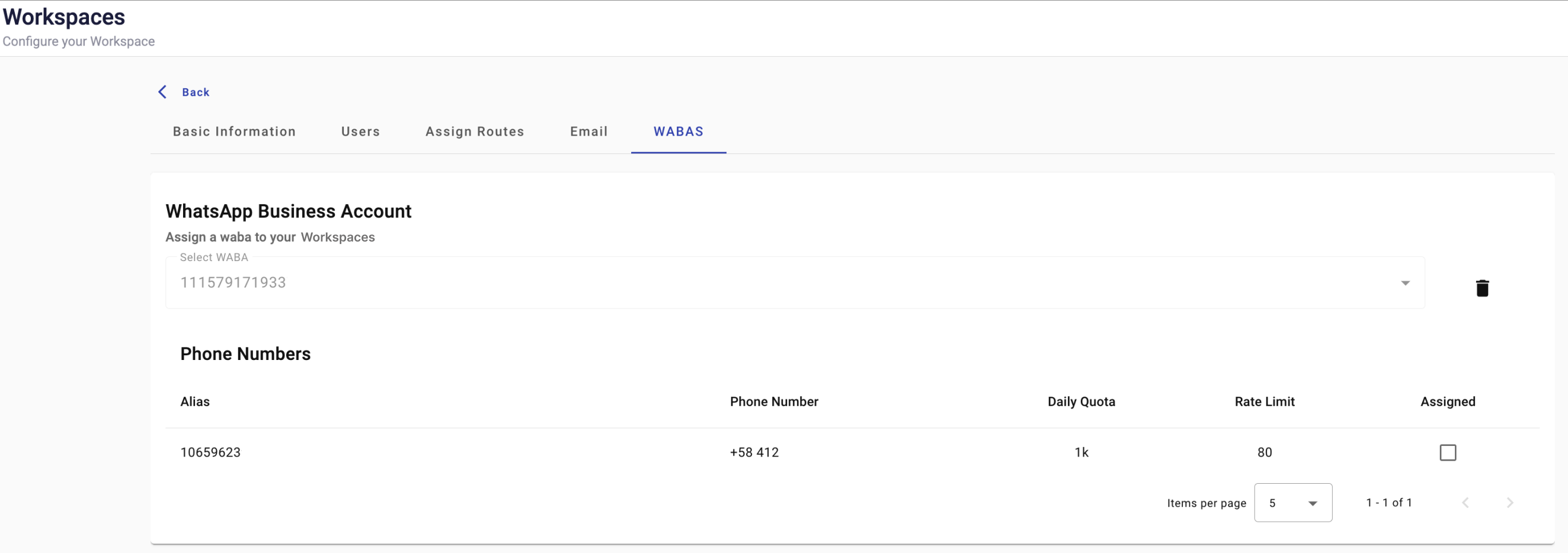
Assignment steps
-
In the WhatsApp Business Account section, select the WABA to assign to your Workspace.
-
Review the phone numbers linked to that WABA in the Phone Numbers table.
Column Description Alias Name associated with the phone number. Phone number Phone number associated with the WABA. Rate Limit WhatsApp message sending rate limit. Assigned Whether the phone number is assigned to your Workspace. -
Select the checkbox for the phone number to assign.
-
Confirm the assignment in the confirmation dialog.
Updated 23 days ago