
Account configuration
View credits, open account resources, switch Workspaces, and sign out from the Account Configuration menu. For platform users managing their account and Workspace access.
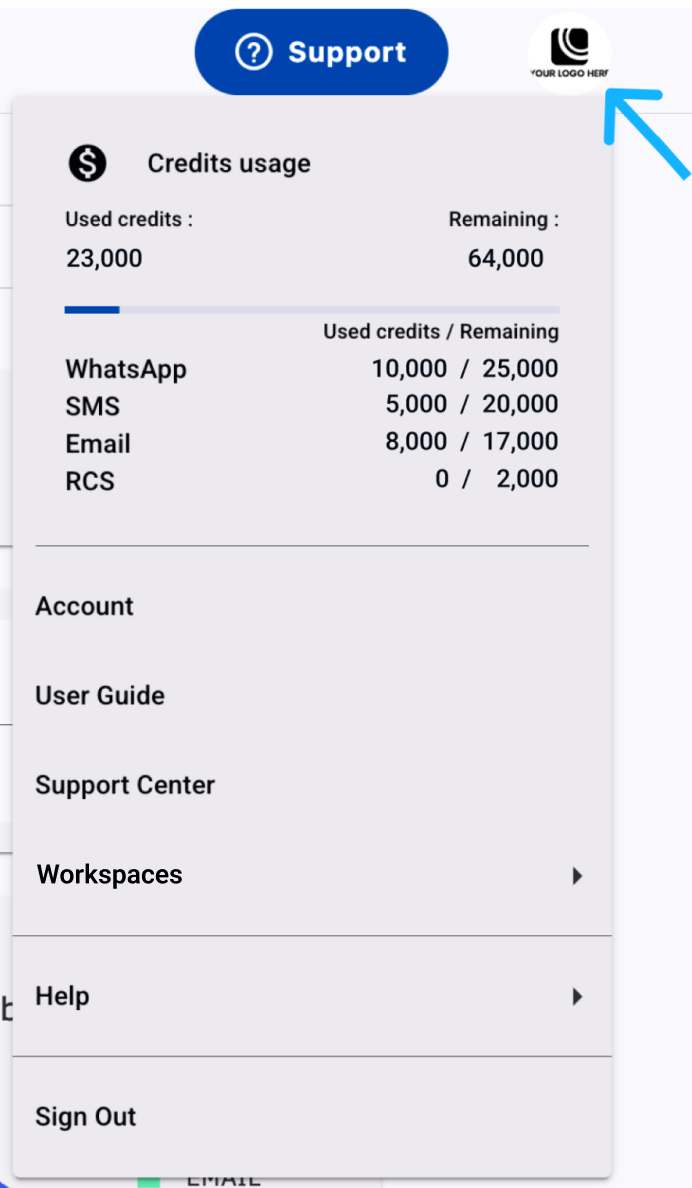
Use the Account Configuration menu to view credits, open account resources, switch Workspaces, and sign out of Communications Platform.
- Click your avatar in the top-right corner.
- Select one of the following menu options:
- Credits: View your credits.
- Account: Open your account profile.
- User Guide: Open the product documentation.
- Support Center: Open support resources.
- Workspaces: Switch between Workspaces. This option appears only when you have access to multiple Workspaces.
- Help: Open help resources.
- Sign out: Sign out of Communications Platform.
Updated 19 days ago
What’s Next
Related pages