
Sending WhatsApp media message session
Send a WhatsApp message containing images, audio, video, or documents through the notification endpoint. For developers attaching multimedia content to outbound messages.
Media messages are messages that include multimedia content, such as images, audio files, videos, and documents.
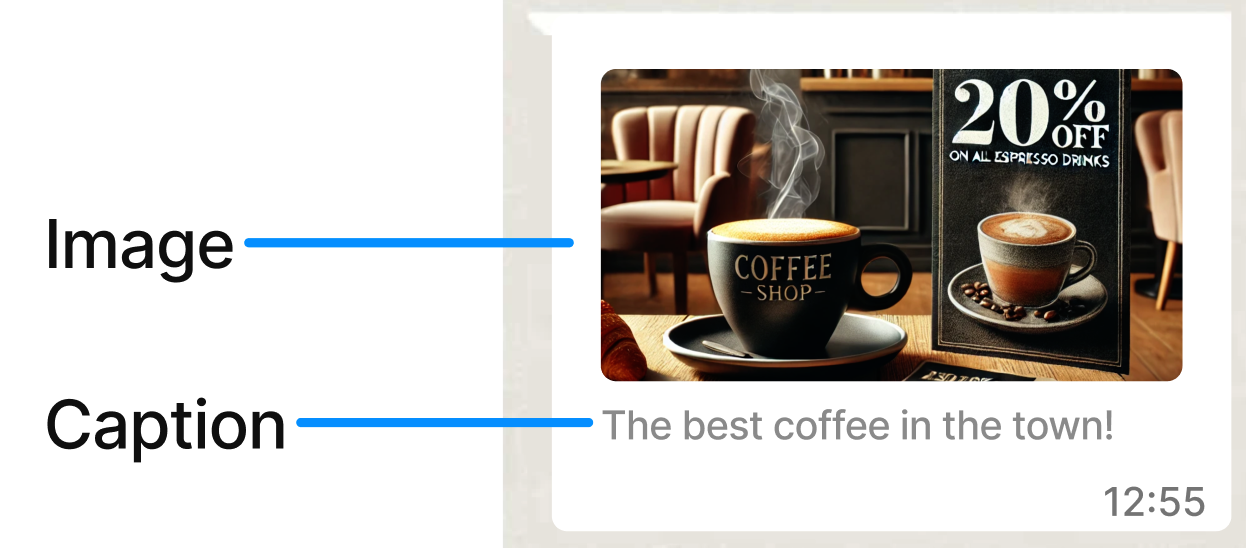
The next table summarizes each component available in the media messages and their different options.
| Options | Description |
|---|---|
| Image | Must be less than 5MB and in the format .jpg or .png. |
| Video | Must be less than 5MB and in the format .mp4 or .3gpp (only the H.264 video codec and AAC audio codec are supported). |
| Document | Must be less than 5MB and in the format .pdf. |
HTTP Request: POST /notification
The following Session Media message example includes only an image:
{
  "channel": "WHATSAPP",
  "request": {
    "from": "1000000001",
    "to": "1000000002",
    "message": "https://<URL_IMAGE>",
    "type": "image",
    "caption": "The best coffee in the town!"
  }
}
The parameters presented in the request body example when creating the Session Media message are the following:
| Parameter | Required | Description |
|---|---|---|
| channel | Yes | Specifies the type of delivery channel the notification message is sent through: This example uses the |
| request | Yes | Message content. |
| request. from |
Yes |
Phone number of the sender. Phone number provided during the WABA account setup is used as the sender of the notification message. Only numeric characters are accepted. The "+" sign is not included. |
| request. to |
Yes |
Determines the destination phone number for your session message. Numbers are specified in E.164 format → ('+' and a country code). |
| request. message |
Yes |
Only applies to the For Media messages, this is the URL of the chosen media file (image, video, or document). The URL must be a valid URL that starts with |
| request. type |
Yes |
Type of message to send. Supported options:
This example uses the |
| request. caption |
No |
Only applies to the Image caption text. |
| request. fileName |
No |
Only applies to the Name and file extension (.pdf) of the document sent. |
| request. externalId |
No | Alphanumeric identifier used for reporting purposes. |
| request. clientId |
No |
Unique user identifier used for reporting purposes. This identifier uniquely identifies the destination address in your systems. It is similar to the externalId. The platform sends it back to you if you request callbacks that contain status changes of the messages you send. |
| callbacks | No |
Indicate one or more (separated by comma) webhook URLs to notify about the status of the message delivery. To receive the status of the messages sent to your contacts, you specify your endpoint. Your endpoint must have a HTTP POST access method. It also receives a JSON body. The URL is the external callback where the events of the message are registered and published. Once a message is processed, its status is posted to your callback URL. The WhatsApp Status section covers the full list and meaning of each status. |
When you send a Session Media Message, the response body contains the following data:
{
  "meta": {
    "timestamp": 1642531254980,
    "transactionId": "077da1d0-e089-487e-aed0-59534ba2d9f5",
    "explain": "Send Notification"
  }
}
Parameters presented in the response body example when sending the Session Media Message are the following:
| Parameter | Description |
|---|---|
| meta | The |
| meta. timestamp |
Call's time mark. Sequence of characters identifying when the message was sent. |
| meta. transactionId |
Call's transaction ID. This helps locate issues faster if they arise. |
| meta. explain |
Useful message regarding the operation or the call. |
Updated 29 days ago
What’s Next
Related pages