
WhatsApp flows
Build guided, in-chat interactions in WhatsApp using native forms, selectors, and action buttons instead of unstructured messages. For developers collecting structured data like registrations, surveys, or confirmations.
Build guided, in-chat business interactions in WhatsApp using native forms, selectors, and action buttons.

Use a Flow when you need customers to complete a structured task—such as registration, a survey, a confirmation, or a guided decision—without leaving WhatsApp. Flows replace unstructured message exchanges with guided screens and collect consistent data that your systems can process.
A WhatsApp Flow is defined with Flow JSON (a JSON definition of a Flow’s structure and behavior). It specifies:
- The screens shown to the user
- The UI components on each screen
- Navigation rules between screens
- Validation behavior
- Completion logic
Depending on its configuration, WhatsApp can run a Flow entirely in the client or exchange data with a backend system while the Flow runs.
How businesses use WhatsApp Flows
Use WhatsApp Flows to collect structured information or guide customers through a task in a WhatsApp conversation.
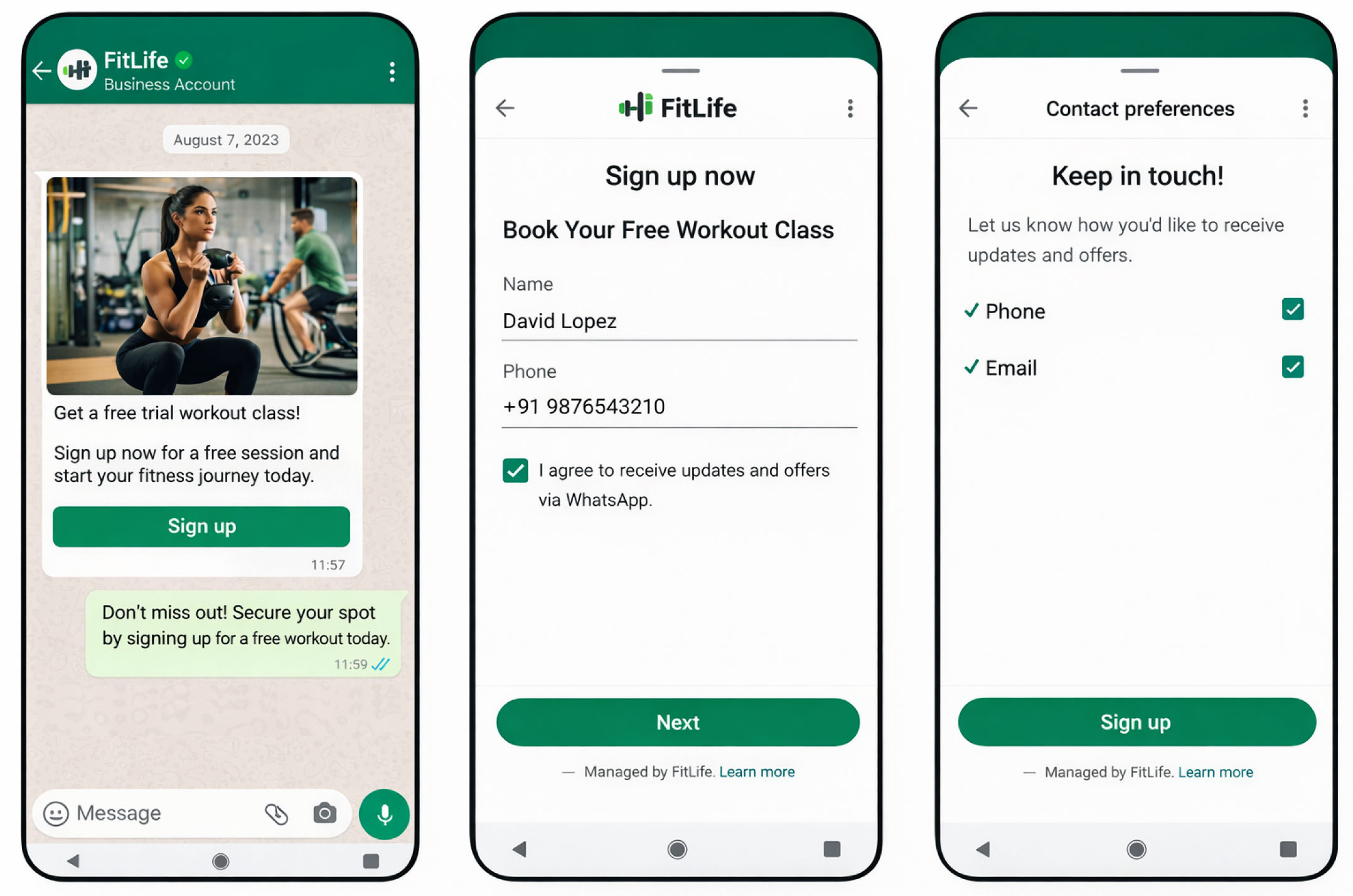
Lead generation
Collect details such as a customer’s name, email address, and preferences through a sequence of guided screens. Customers stay in WhatsApp rather than moving to an external web form or landing page.
Common lead-generation use cases include:
- Newsletter sign-ups
- Promotional and product-launch registrations
- Event registrations
- Contact requests
Surveys and feedback collection
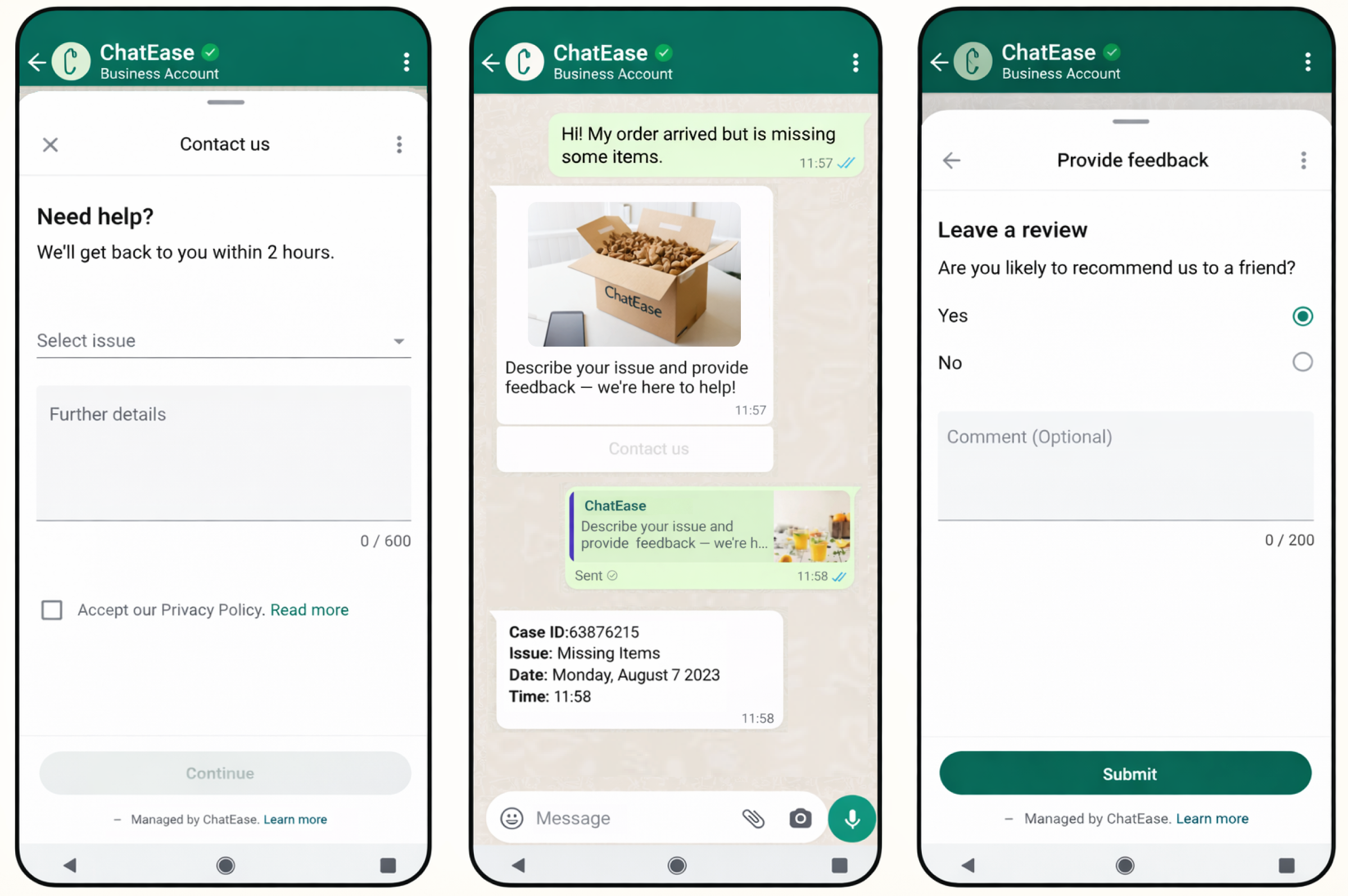
Present predefined questions with native inputs, including selectors, radio buttons, and optional text fields. After the customer completes the Flow, WhatsApp submits all responses together for processing and analysis.
Use this pattern for customer-satisfaction surveys, post-interaction feedback, service-quality evaluations, and quick opinion polls.
Prerequisites
Complete the following steps before you create and send a WhatsApp Flow:
- Create or request a verified WhatsApp Business Account (WABA). Your WABA must be active because it owns and manages your Flows. Contact your Account Manager to create or request a WABA.
- Add a WhatsApp Business phone number to the WABA. Use this number to send messages that trigger or reference a Flow. Customers see it as your business identity during the interaction.
- Set up the WhatsApp Business Platform. After onboarding, open WhatsApp Manager in Meta Business Manager to create, build, and manage Flows.
- Verify your business and maintain high message quality. WhatsApp requires business verification and a high message-quality rating before you can send Flows to customers.
Create a WhatsApp Flow
Create and build a Flow in WhatsApp Manager through one of these entry points:
- Flows Builder: Edit Flow JSON in a code editor. Choose this option when you need hands-on control over the Flow definition.
- Message Template creation: Build a Flow while creating a message template with the drag-and-drop Form Editor. This option does not require you to write Flow JSON.
You can also attach an existing published Flow to an approved message template. Both entry points create a Flow definition in WhatsApp Manager that you can publish and reuse.
Supported Flow type
Only Static WhatsApp Flows are currently supported.
A Static WhatsApp Flow is a self-contained experience created in Flow Builder. Define its screens, input fields, navigation rules, and validations in advance; it runs within WhatsApp without additional backend configuration.
After you publish a Static Flow, you can:
- Send it in an active customer conversation, following the rules for WhatsApp session messages.
- Attach it to an approved WhatsApp message template for proactive delivery outside the 24-hour window.
Attach a Flow to a message template by selecting an existing published Flow or by creating a Flow with WhatsApp’s form-based editor during template creation.
Updated about 1 month ago