
Credits usage
Learn how to view used and remaining credits by delivery channel in the Credits Usage panel.
Use the Credits Usage panel to check how many credits your workspace has used and how many remain by delivery channel.
View credit usage
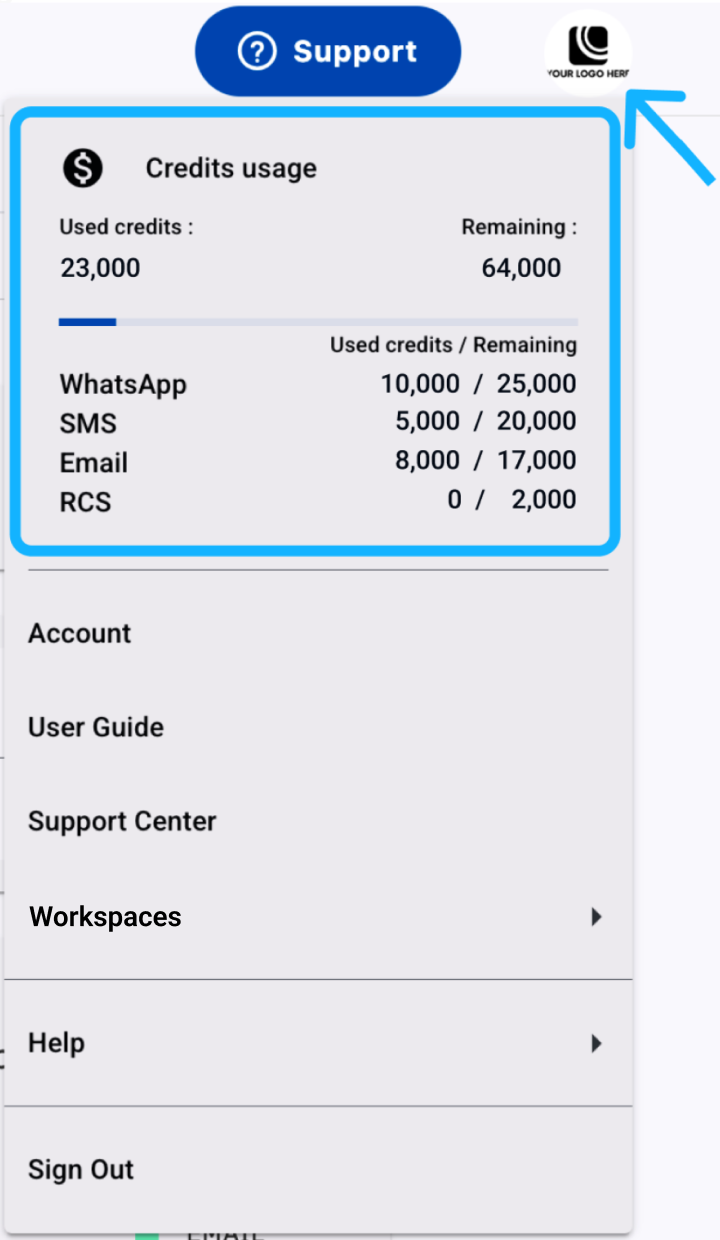
- Click your avatar in the top-right corner of the screen.
- Review the Credits Usage summary card.
Credit details
The summary card shows:
- Used credits — Total credits consumed in the workspace.
- Remaining credits — Credits still available.
- Used credits / Remaining by channel — Credit consumption and remaining balance for each delivery channel configured in the credit plan.
Use these details to monitor credit allocation and identify when a delivery channel is running low.
Updated 3 days ago