
Conversions API (WhatsApp)
Record each person who clicks a Click-to-WhatsApp ad and messages your business as a lead in your Meta dataset.
When someone clicks a Click-to-WhatsApp ad and sends a message to your business, that person becomes a potential customer. With the Conversions API for WhatsApp, the platform records each of those conversations as a lead event in your Meta dataset. You can then see who responded to your ads, and Meta can use that information to understand and improve the performance of your ads.
How it works
-
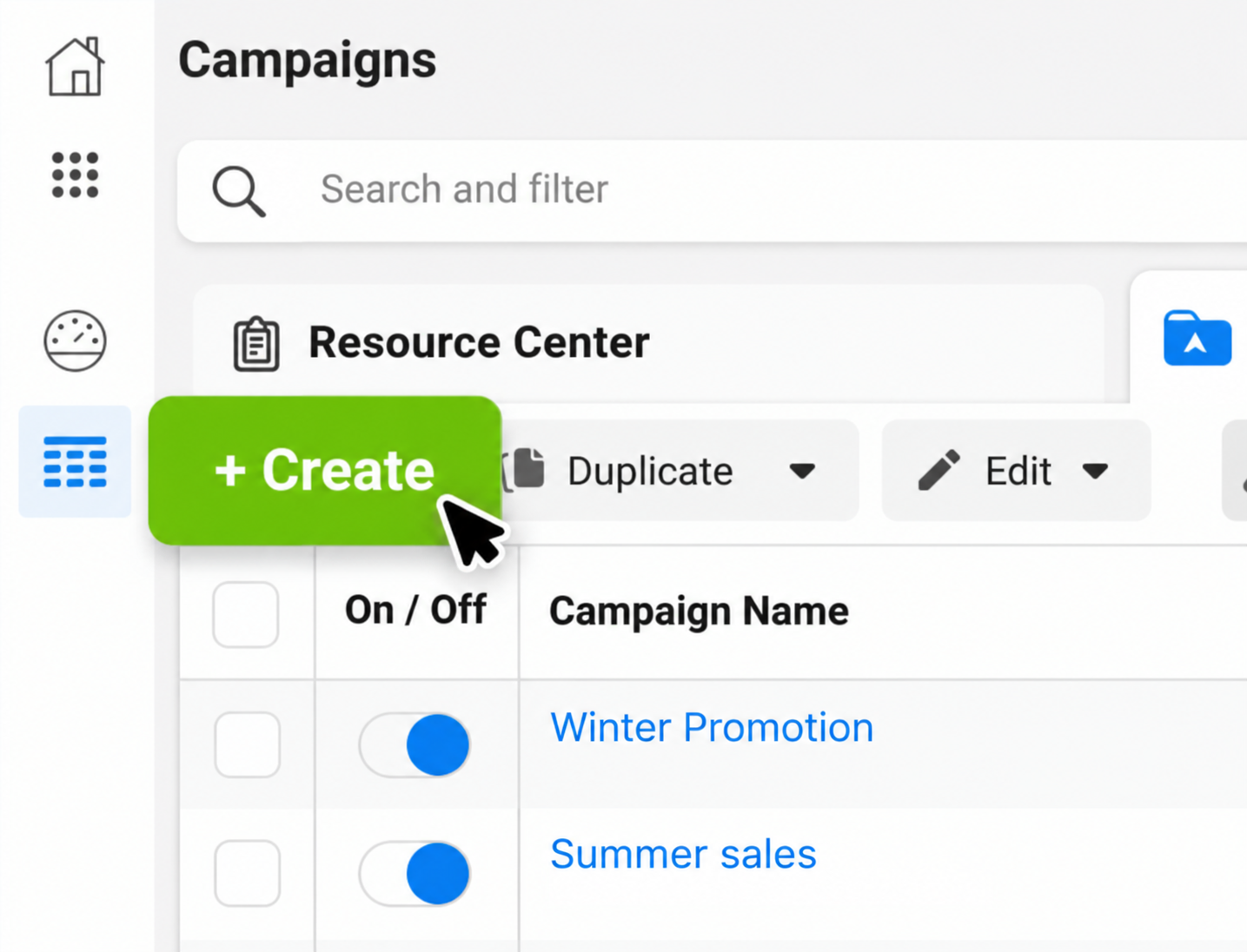
Create the ad in Meta. You create and manage your Click-to-WhatsApp ads only in Meta Ads Manager.
-
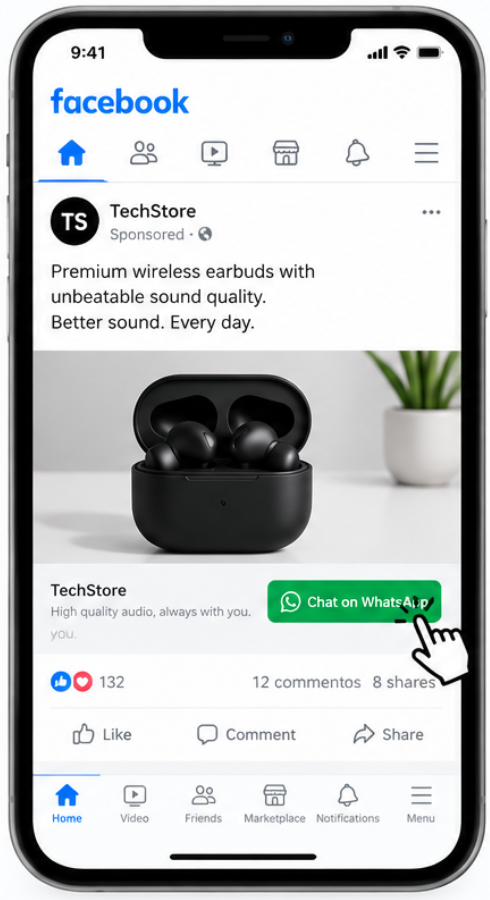
A person clicks your ad. WhatsApp opens a conversation addressed to your business number.
-
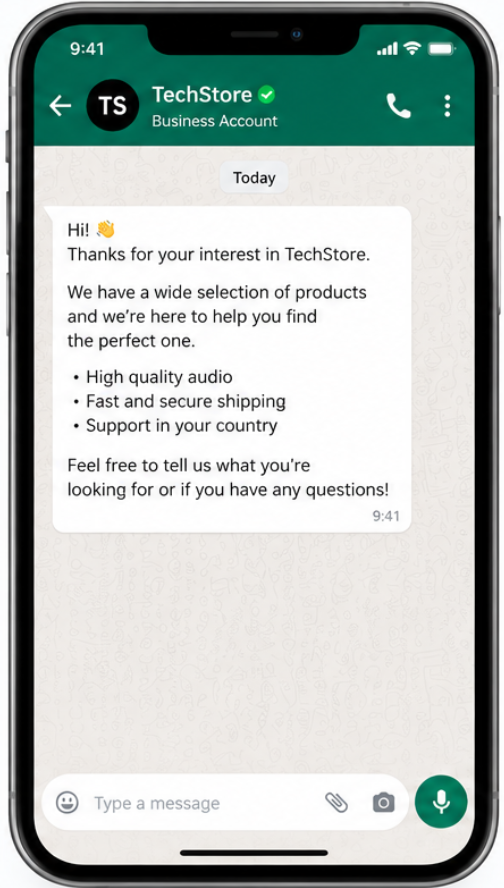
The business sends an automatic message. The person is greeted instantly with a pre-set message.
-
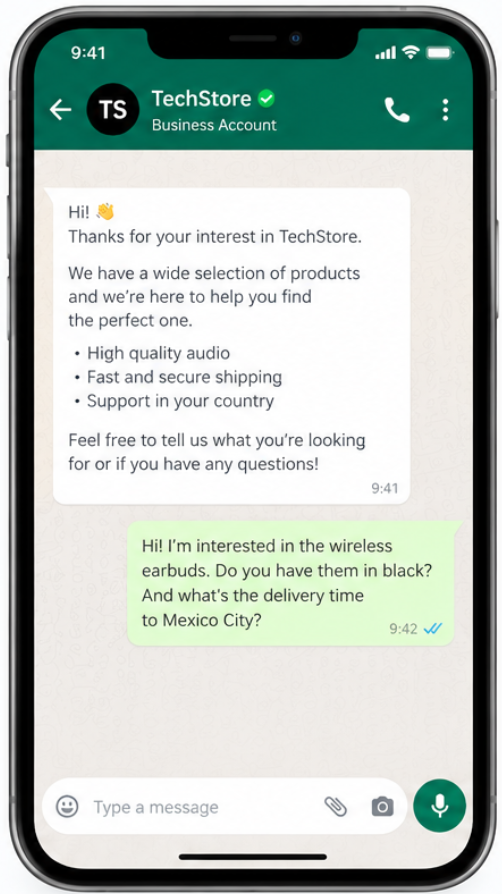
The person sends a message to the business. The conversation continues in WhatsApp.
-
The platform registers a lead. As soon as the first message arrives, the platform records a lead event on your behalf in the dataset linked to your WhatsApp Business Account (WABA).
-
You review the events in Meta. Open your dataset in Events Manager and check the registered leads.
-
Sign in to Meta with the account that manages the business portfolio that owns your WABA.
-
Open Events Manager.
-
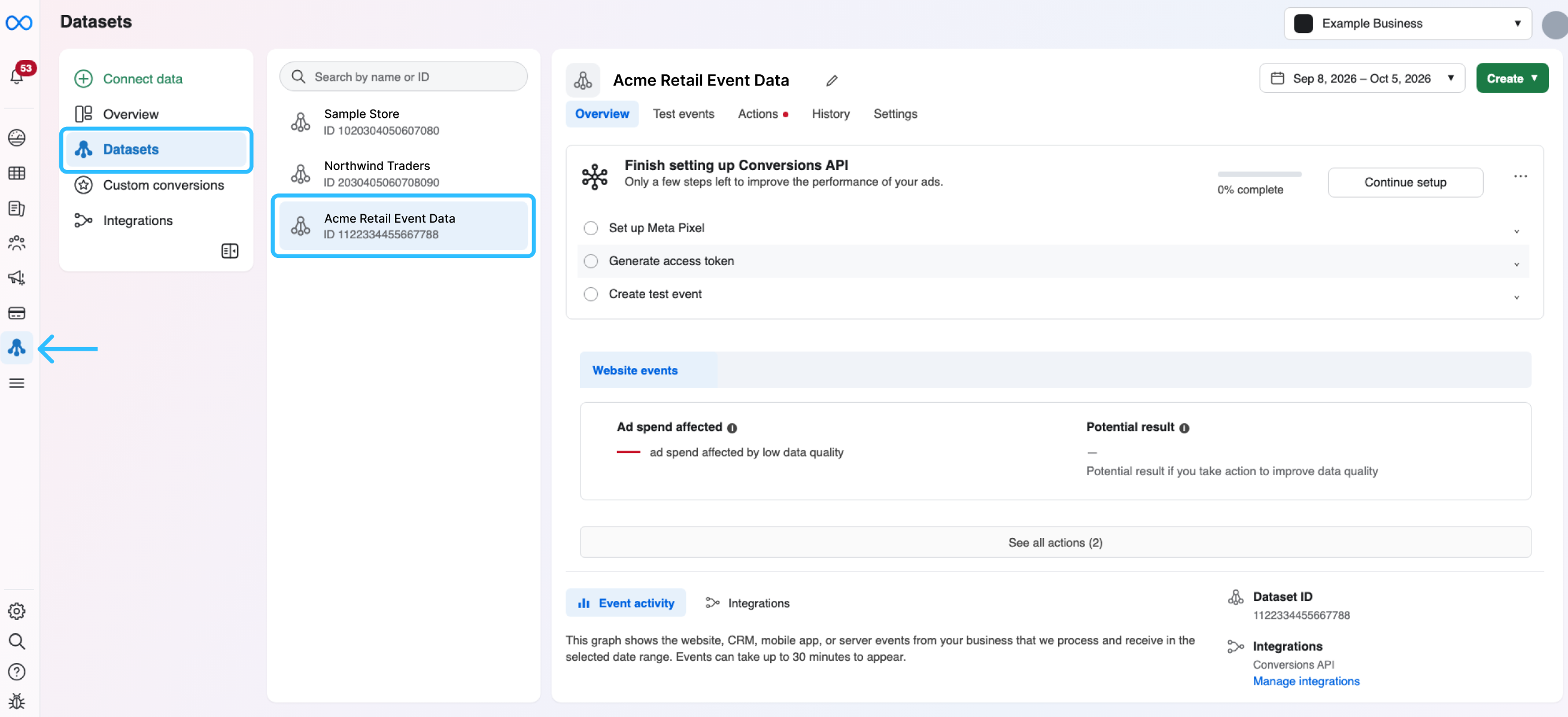
In the left menu, click Datasets. In the list, select the dataset linked to your WABA.
-
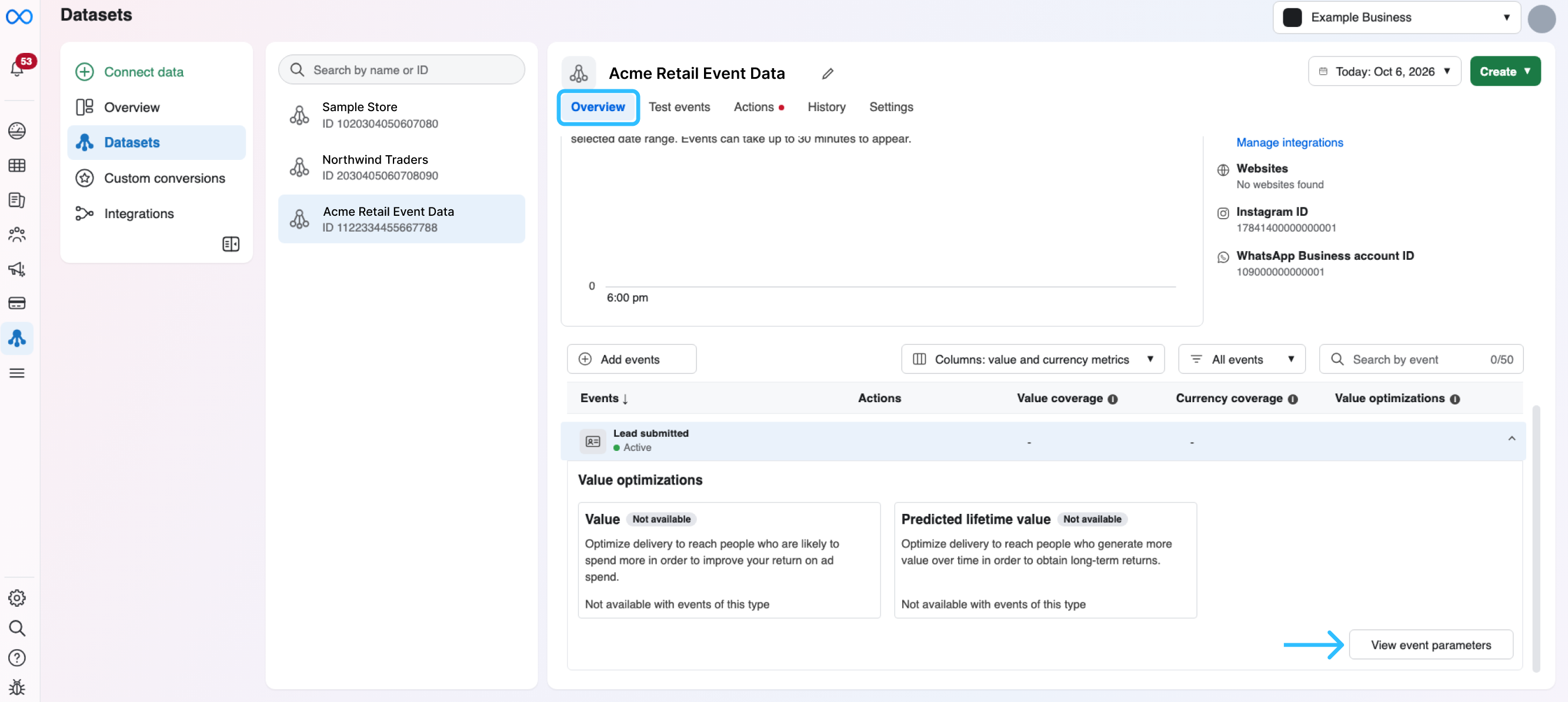
Make sure the Overview tab is selected, and then scroll down to the events table. The Lead submitted event appears with the Active status. Click View event parameters.
-
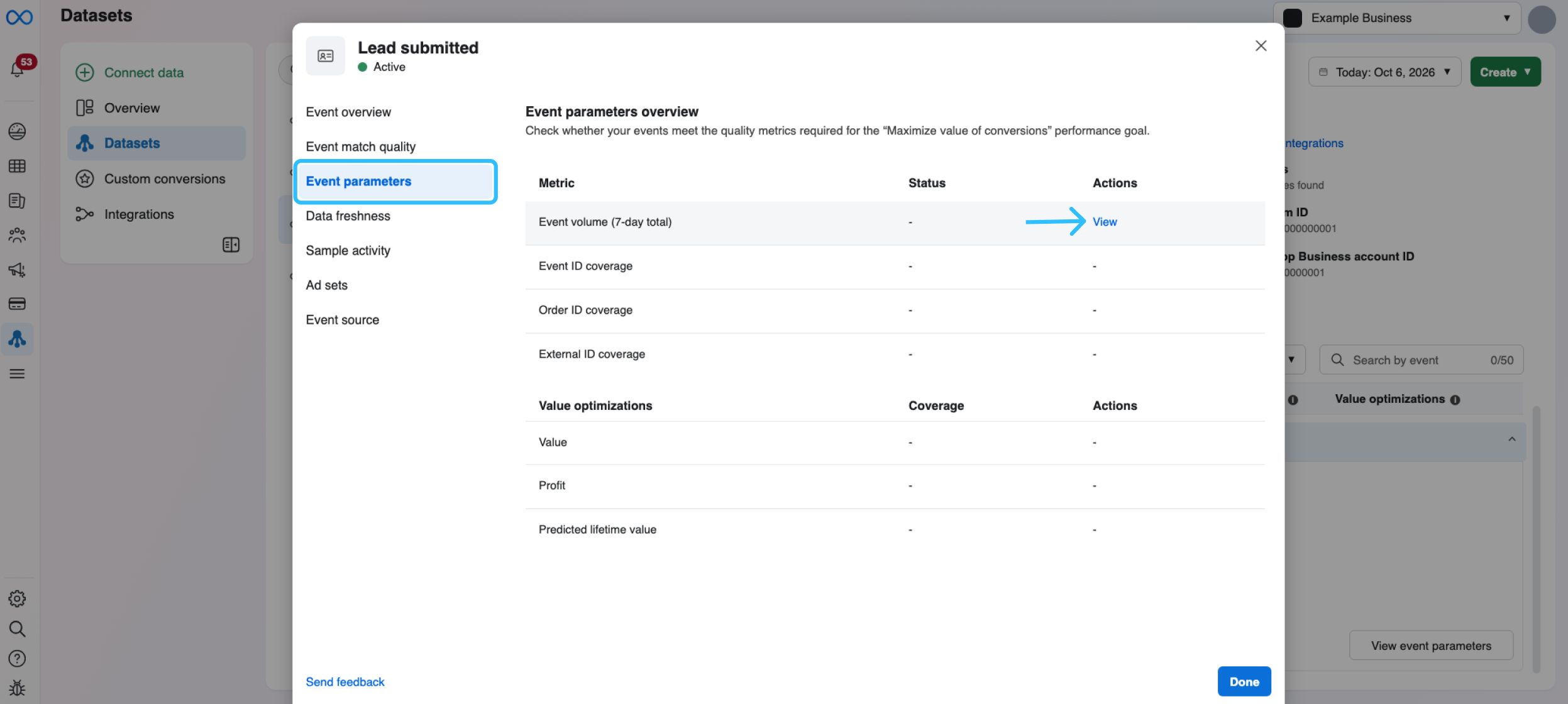
Next, click View from the Event parameters.
-
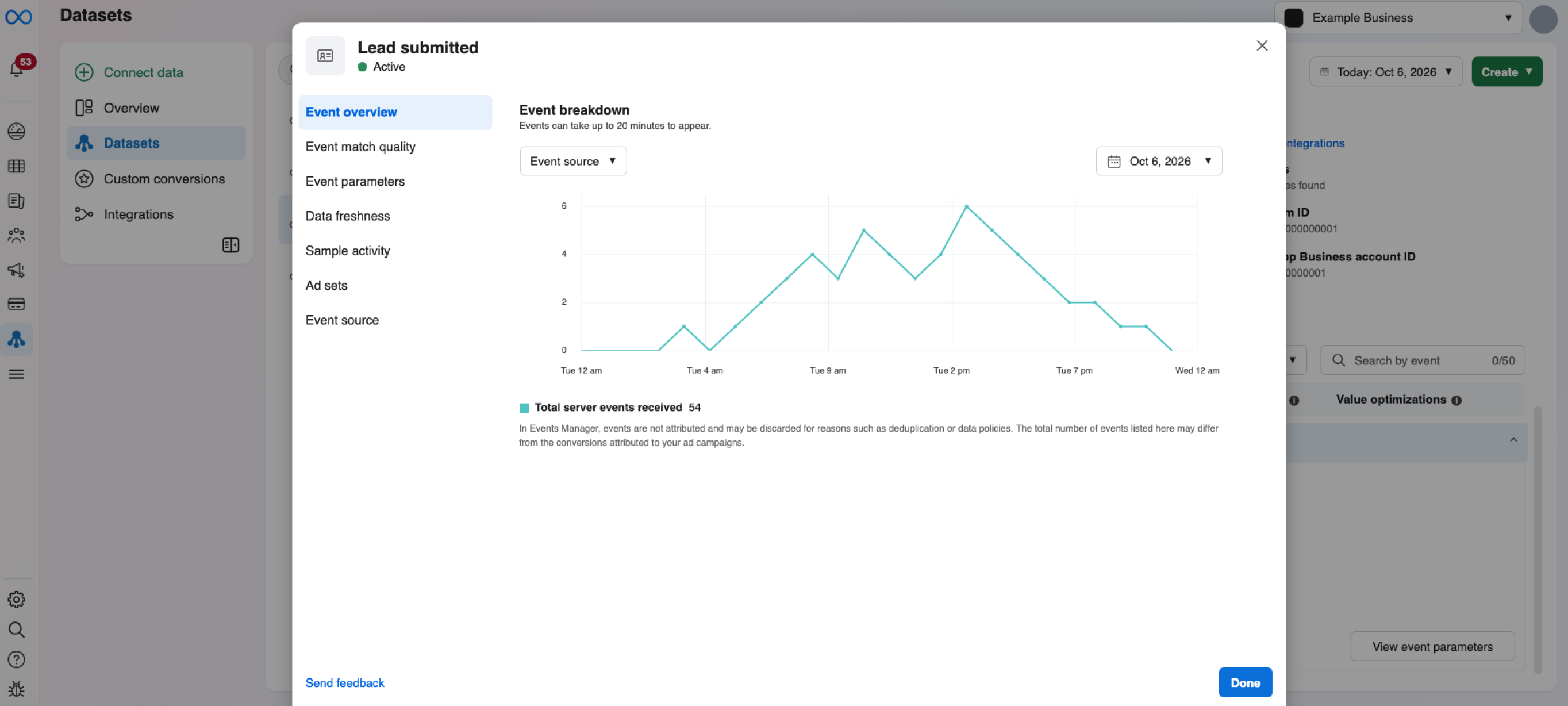
In the Event breakdown chart, review the leads registered from your ads. The chart shows the number of events received throughout the day. To see another day, use the date selector.
-
NOTE
- Meta can change the names and the layout of the sections in Events Manager, and it shows them in the language of your account. If you cannot find the dataset, confirm that you selected the business portfolio that owns your WABA.
- Only conversations that start from a Click-to-WhatsApp ad are registered. Messages from people who write to your number directly, and conversions that happen on other channels, such as your website, are not registered.
What the platform registers
| Item | Description |
|---|---|
| Event type | Lead (potential customer). |
| When it is registered | When a person who clicked your ad sends their first message to your business. |
| How many | One lead event for each person who clicks your ad and writes to your business. |
| Where it is stored | In the Meta dataset linked to your WABA. |
| What Meta receives | The lead event and the ad click it came from, so Meta can connect the lead to the right ad. |
Check the incoming message in Messaging logs
When someone clicks your ad and writes to your business, that message is an incoming message (MO): a message the person sends to your business number. The Communicatins Platform registers it in Messaging logs, so you can confirm that it arrived and read what the potential customer wrote.
To find it:
- The log table is located in the Messaging Logs table.
- Find the incoming message record. It shows these values:
| Column | What you see |
|---|---|
| Channel | |
| Direction | Incoming |
| Sender | The WhatsApp number of your business |
| Recipient | The phone number of the person who clicked your ad |
| Status | RECEIVED |

To read the message:
- In the Actions column of that record, click the View icon.
- In Message Detail, check the Preview panel. It shows the message that the person sent to your business.
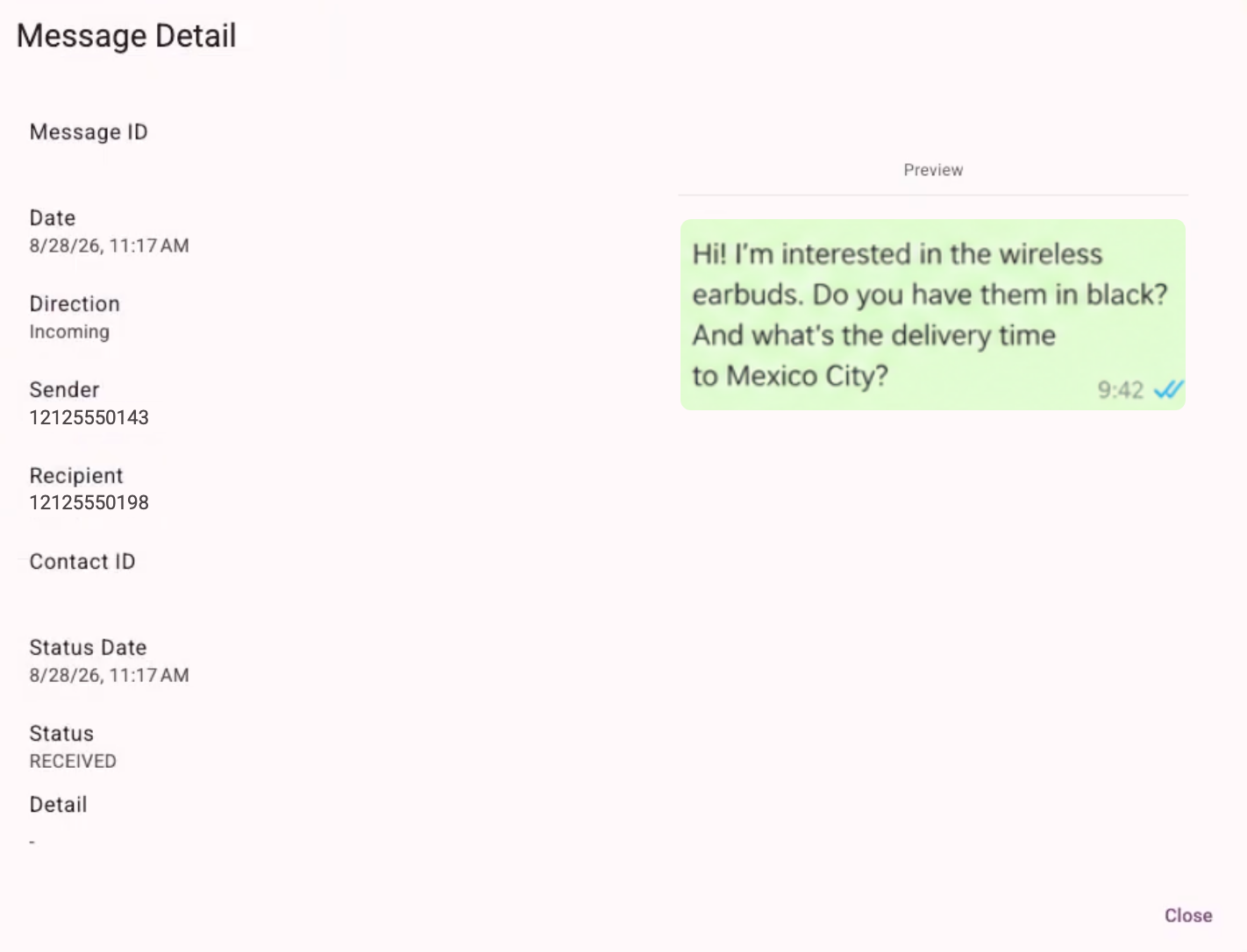
NOTEIf you export a report from Messaging logs, the downloaded CSV file does not include the incoming message (MO) that the person sent to your business after clicking your Click-to-WhatsApp ad.
Before you begin
Make sure you meet these requirements:
- A WABA enabled and connected to the Communications Platform. For more information, see Enabling WhatsApp.
- A Click-to-WhatsApp ad in Meta. The ad must send people to your business WhatsApp number.
- Access to your Meta business account. You need an account that can manage your business portfolio and your WABA.
- Permission to register events. You grant it once, as described in the next section.
Grant permission to register events
For the BSP (Business Solution Provider) to record events in your dataset, you must authorize it in Meta. You grant this permission during an Embedded Signup flow that your Account Manager provides through a URL.
-
Request the URL. Ask your Account Manager for the Embedded Signup URL for event registration.
-
Open the URL. Sign in with the Facebook account that manages your business portfolio and your WABA.
-
Follow the guided steps. Meta guides you through selecting or confirming your business portfolio and your WABA. For the common steps and screens, see Embedded signup (WhatsApp).
-
Review what you will share. On the final screen, Meta lists what the platform can access and what it can do with your account.
It will be able to: manage your WhatsApp accounts, manage and access WhatsApp conversations, and record events on behalf of your WhatsApp Business account and send them to Meta.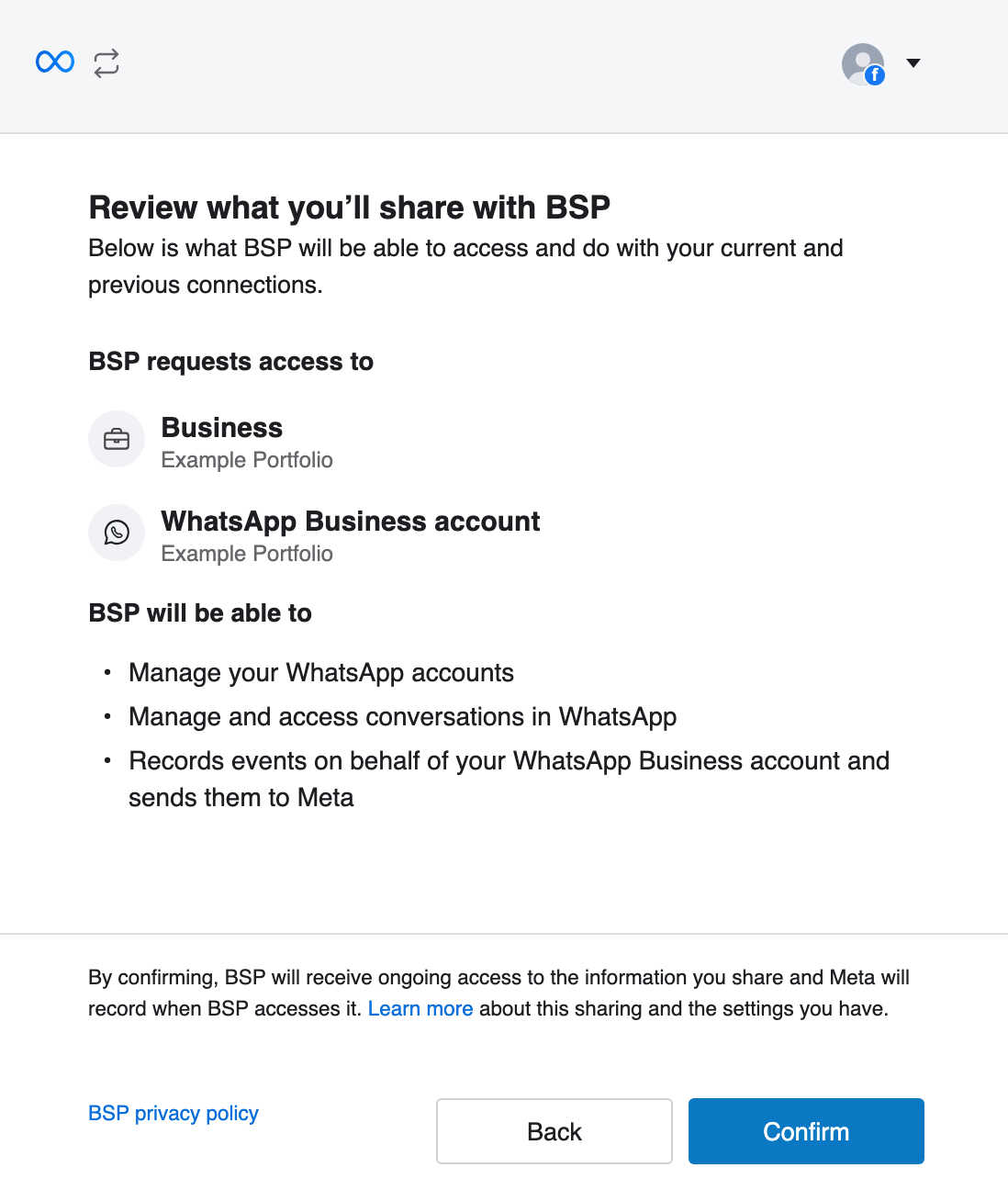
-
Confirm. Click Confirm to grant the permission.
NOTEThe final screen that lists the permissions you grant appears only when you use the URL provided by your Account Manager.
Your dataset
A dataset is the place in Meta where the events of your business are stored. The platform registers your leads in the dataset linked to your WABA.
- One dataset per WABA. Meta does not allow more than one dataset for the same WABA.
- If you already have a dataset linked to your WABA, the BSP uses it. You do not need to create a new one.
- If you do not have a dataset, the BSP creates one for you once you grant the permission.
- You own the dataset. It belongs to your business. The BSP only records events in it with the permission you granted.
IMPORTANTWhatsApp events can be registered only in a dataset linked to a WABA. A dataset that you use only for other sources, such as website events, cannot receive them.
Consent and privacy
- A conversation started from an ad is not consent for marketing messages. The person started the conversation, and that does not by itself allow you to send them messages outside of it. Follow your consent practices and Meta's WhatsApp Business messaging policies. For more information, see Consent management.
- Registering a lead does not add the person to your contact lists. The platform does not add these people to your lists automatically.
- Meta applies its privacy controls. Meta designs the Conversions API to honor the privacy controls of its users.
- Availability depends on your region. Meta can restrict this feature in some regions, such as the European Union, the United Kingdom, and Japan. Confirm the current availability with Meta before you plan your ads.
Related pages
- Embedded signup (WhatsApp): connect or create a WABA with Meta Embedded Signup.
- Enabling WhatsApp: enable WhatsApp as a channel in your Workspace.
Updated 30 minutes ago